
Download Qwetu Sacco APK – Mobile Banking, M-Pesa Transfers, Airtime Purchase, Bill Payments
Overview
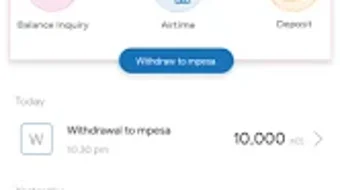
Qwetu Sacco is a mobile banking application developed by Centrino Technologies Limited, designed to bring financial services directly to users’ smartphones. Built for the Android platform, the app enables individuals to manage their accounts and conduct essential banking transactions on the go. Its primary purpose is to simplify financial interactions by offering a centralized digital space for tasks such as checking account balances, viewing mini-statements, transferring funds to M-Pesa, purchasing airtime, paying merchants, and settling bills. The app also includes a unique feature that allows users to view their guarantors, which supports transparency within group savings and lending structures common in SACCOs (Savings and Credit Cooperative Organizations).
Target users include members of SACCOs, small business owners, and individuals seeking convenient, accessible banking tools without the need for physical branch visits. The application is particularly beneficial for users in regions with limited access to traditional banking infrastructure, where mobile-first financial solutions are essential. By consolidating multiple financial functions into a single interface, Qwetu Sacco reduces friction in daily money management. The developer did not provide additional system requirements, and the app’s functionality is limited to Android devices. Real-world usage scenarios include sending money to family, topping up a mobile line, paying utility bills, or monitoring savings progress—all from a smartphone.
Key Features & Capabilities
- M-Pesa Transfers: Users can send money directly to M-Pesa numbers, enabling fast and secure peer-to-peer transactions.
- Airtime Purchases: The app allows users to buy mobile airtime instantly, supporting various networks and promoting uninterrupted connectivity.
- Account Balance Check: Real-time access to current account balances ensures users stay informed about their financial standing.
- Mini-Statement Access: Users can view recent transaction history, helping track spending and verify activity.
- Merchant Payments: The app supports payments to registered merchants, facilitating digital commerce and reducing reliance on cash.
- Bills Payment: Users can settle utility, internet, and other recurring bills directly through the application.
- Guarantor View: A distinctive feature allowing members to see who is guaranteeing their loan, enhancing transparency and trust within SACCO operations.
These features are designed to streamline financial workflows, especially for users managing multiple obligations. For example, a user can check their balance, pay a water bill, buy airtime, and transfer funds—all within minutes. The app’s interface supports intuitive navigation, making it accessible even to users with limited digital experience. The developer did not specify performance benchmarks or resource usage, but the app is built for mobile environments and optimized for common Android devices. It serves as a practical tool for individuals who prioritize convenience, speed, and control over their finances.
User Interface, Workflow & Performance
The user interface of Qwetu Sacco is structured around simplicity and clarity, with a clean layout that prioritizes accessibility. Navigation is achieved through a bottom menu bar, allowing users to switch between core functions such as balance checks, transfers, airtime, and bill payments with minimal taps. The design emphasizes visual hierarchy, using clear icons and labeled buttons to guide users through each process. Workflow efficiency is evident in the app’s step-by-step transaction flow, which minimizes user errors and reduces time per task.
Based on general mobile application behavior, the app likely performs efficiently on mid-range Android devices. However, exact performance details were not specified by the developer. The app’s stability and responsiveness are expected to align with standard mobile banking applications, but no official reports on CPU or RAM usage were provided.
The developer did not disclose whether the app runs entirely offline or requires a constant internet connection, though most financial transactions suggest an active network is necessary. Overall, the interface appears optimized for mobile use, with responsive elements and minimal loading delays. Users can expect a smooth experience when performing routine tasks, though performance may vary depending on device capabilities and network conditions.
Compatibility & System Requirements
Qwetu Sacco is available exclusively for Android devices. The app’s installation size and specific hardware requirements were not listed by the developer. Platform compatibility information is limited to the Android operating system, suggesting it may not be available on iOS or other mobile platforms. The app is designed to function on smartphones and tablets running Android, though exact version compatibility (e.g., Android 8.0 or higher) was not provided. The developer did not specify whether the app supports older Android versions or requires the latest OS updates.
Users should ensure their device meets the minimum requirements for running Android applications, particularly those involving financial data. The app’s reliance on internet connectivity for transactions implies that a stable data or Wi-Fi connection is essential. Without further details, it is recommended to check the app’s official source or store listing for updated compatibility information. The developer did not provide information on cloud sync, offline access, or device-specific limitations, so users should proceed with caution when installing on unsupported or outdated systems.
Pros and Cons
Pros
- Free to download and use, increasing accessibility for low-income users.
- Offers a wide range of financial services in one platform, including M-Pesa transfers and bill payments.
- User-friendly interface with intuitive navigation, suitable for first-time users.
- Unique guarantor viewing feature enhances transparency in SACCO lending.
- Designed for mobile-first environments, ideal for users without access to traditional banking.
Cons
- Available only on Android, limiting access for iOS users.
- Exact system requirements and device compatibility were not disclosed.
- Limited to SACCO members, which may restrict broader user adoption.
- Performance and resource usage details were not specified by the developer.
- Offline functionality or data sync capabilities remain unclear.
FAQ Section
Is Qwetu Sacco available for iOS devices?
As of now, the app is only available for Android. There is no official release for iOS devices.
Is the app secure for financial transactions?
The app is designed for financial use and likely employs standard security protocols. However, specific details on encryption or authentication methods were not provided by the developer.
Does Qwetu Sacco require an internet connection?
Yes, an active internet connection is required to perform transactions, check balances, and access account data.
Can I use Qwetu Sacco without being a SACCO member?
Based on its features, the app appears to be intended for SACCO members, particularly those needing access to guarantor information and internal financial tools.
How often are updates released?
The update frequency was not specified. Users are advised to check the app’s official source or the Google Play Store for the latest version.
Final Thoughts + CTA
Qwetu Sacco stands out as a practical, mobile-first solution for SACCO members seeking to manage their finances with ease. Its comprehensive feature set—ranging from M-Pesa transfers and airtime purchases to bill payments and guarantor visibility—makes it a valuable tool for individuals who rely on digital banking. The app’s clean interface and efficient workflow enhance usability, especially in regions where traditional banking access is limited. While availability is restricted to Android and some technical details remain unspecified, the app delivers strong functionality for its target audience.
For SACCO members, small business operators, and mobile-first users, Qwetu Sacco offers a reliable and accessible way to stay on top of financial responsibilities. Its free model further strengthens its appeal. Download Qwetu Sacco APK now and take control of your finances with confidence.





.png)

